
I moved into a new apartment in Richmond this month. Two weeks in, the TV was still on the floor in front of the mount box, about 150 books were stacked on the office floor, and nothing was hung on any wall. I know what I like. I had no idea where to start.
So on Thursday night I walked through the place with my phone for four minutes and twelve seconds, narrating like I was showing a friend around. "There's a lot of books, I definitely need a bookshelf." "This wall, you definitely do something with it." "Be creative too." Then I handed the video to Claude Code and asked it to plan the apartment.
By Friday I had a 12-week shopping list with a reason for every item, a photoreal render of each room as it will look, and a 3D model of my unit I can click around. The model at the bottom of this post is a mock version, built the same way on a different floor plan, so you can see what that feels like.
Step one: make the video readable
A language model can't watch a video, so the first thing it did was turn mine into something it could read. It pulled a frame every two seconds, 126 of them, and ran my narration through a speech-to-text model so each frame had a timestamp and the sentence I was saying at that moment. Then it looked at the frames six at a time, 21 batches, with the transcript alongside so it always knew which room it was standing in.
What came back was a site survey. Every room, with rough dimensions estimated off door heights and counter heights. 74 pieces of furniture it could see, each tagged keep, replace, upgrade or store, with the frame it saw it in as evidence. 25 stretches of bare wall, with a guess at width and height and whether the spot wanted one big piece, a grid or a tall vertical. And a list of problems it called "embarrassing for guests," because I asked for a critical eye. The list was correct. Blinds stopped at random heights, lift cords dangling at toddler height, a shag rug with a toddler in the house, a beloved white sofa next to a gray one being used as a laundry pile.
Step two: find the floor plan
Frames give you walls. They don't give you a plan. My building has 349 units, and the leasing website only shows floor plans that have a unit available. Mine is fully leased with a waitlist, so it had disappeared from the public grid.
Claude Code went looking anyway. The site runs on a leasing platform, and the plan pages and the image CDN behind it still had every layout in the building, listed or not. It pulled the 2D and 3D drawings for all five three-bedroom layouts, then matched them against my video. Only one of the five has balconies, and there was a balcony door beside my bed in frame 49. The long hallway past the washer-dryer closet sealed it. I had never told it my unit number. Now it had real room dimensions: a living room 23 feet 11 by 12 feet 9, which it later used to size the TV.
Step three: put everything in one head
This is the part that changed how I think about the whole thing. A human designer would need three visits: one to see the place, one to see what I own, one to talk through taste and money. Here, all of it sat in one context at once: the video and transcript, the floor plan, photos of the art I already own, my taste as it had seen it across other projects, a budget of about $700 a week, and the fact that a toddler lives here.
I want to be clear about how little of that I supplied. From me: the four-minute video, a few phone photos of the art, and one line about the budget. The rest it went and got on its own. It fetched the floor plan from the leasing site. It knew my taste from the other projects it had seen me build, a judo poster, a 3D world, a camera app, and it knew about the toddler from things I had said in passing over months. I put almost no thought into the input, and it still landed the design.
Then it reasoned about all of it together. The design direction it wrote is one paragraph: keep the white sofa and pale oak floor as the base, add oak and low furniture that matches the floor bed I already have, thin black frames, and pull the accent colors from the posters I already own. Everything washable, rugs low-pile, toys in closed cabinets, "so the place resets to grown-up in ten minutes."
The shopping list came out as 12 weeks. Week 1 is titled "Stop the embarrassing stuff" and costs $687: a low oak media console so the TV is off the floor, a shower curtain, warm bulbs, cord cleats, and hanging the art I already own. Week 2 is the TV, with a note that the living room is 12 feet 9 deep so I sit about nine feet from the wall, which makes a 65-inch set read as a large framed print and a 55 as a medium painting. Week 3 is a hold to pay for week 2. The whole plan is about $7,700.
Every item has a price, a room, a wall slot and a sentence on why. The reasons are my favorite part. The velvet hangers are in week 1 because "you walk past the closet on the way to the bathroom." The arc lamp is there because the living room has zero lamps and cool overheads only.
Step four: see it before buying it
Lists are hard to feel. So for each room it took the actual frame from my video and asked an image model to edit it: same walls, same windows, same sofa, now furnished per the plan. The prompts are specific down to the pillow colors, because they come from the same plan file as the shopping list.
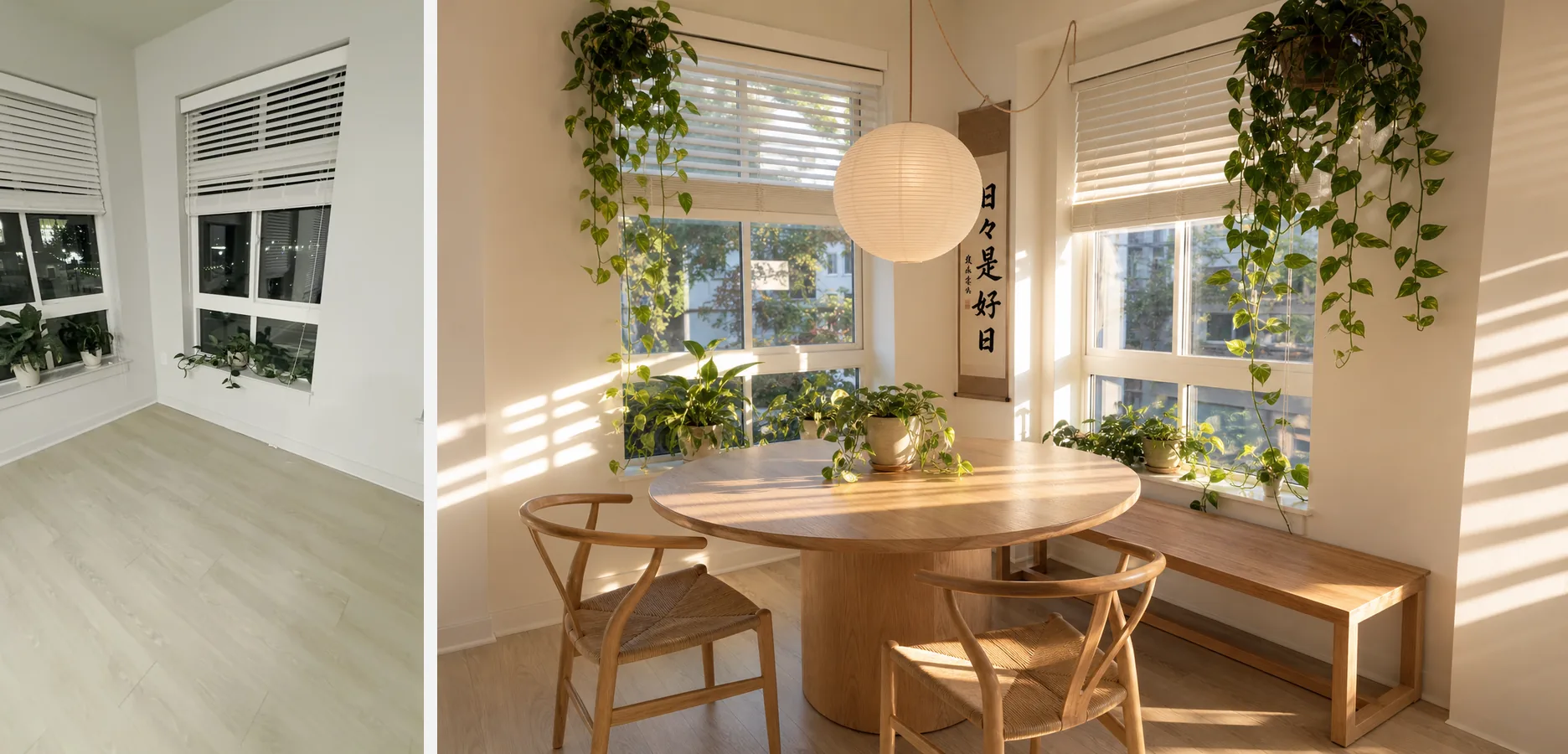
For the office it rendered three video-call backdrops on the same wall: the poster grid I had before, a floor-to-ceiling library, and a salon wall of personal history. I picked the library in about four seconds. That is a decision I would have put off for months.
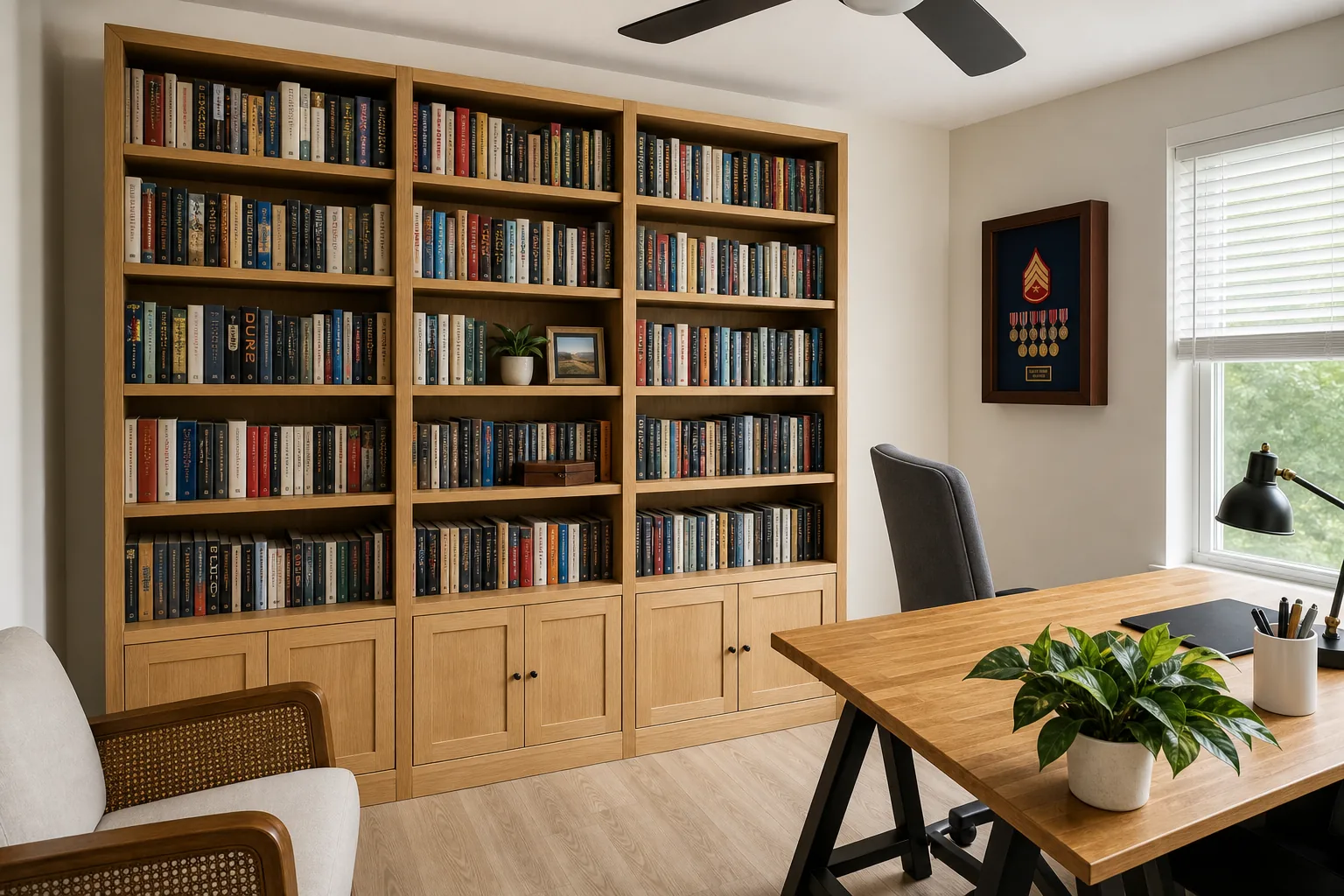
The renders also caught a mistake. The first version put the library on the door wall, with my back to the door. I said I never want my back to the door on a call, and that my camera lens makes the backdrop a narrow blurred slice. It moved the desk perpendicular to the window, put the door in my field of view, and put the library where the lens actually points. Then it re-rendered.
Step five: build the apartment
Then it got out of hand, in the good way. It traced the floor plan at 23 pixels to the foot and built the apartment in three.js: every wall and window, every one of the 103 pieces from the plan placed in its room, the art hung on its assigned wall slot. There is a Now and After toggle, an isometric view and a walk-in view, and clicking any piece opens its price and the sentence on why it is there. The model reads the same plan file as the shopping list and the renders, so when I change my mind about a wall, all three change.
Here is a version you can click around. It is a one-bedroom-plus-den from the same building, not my unit, furnished the same way. Every piece has a week, a price and a reason, and the Now and After toggle shows what the plan changes.
Drag to orbit, click a piece for its line in the plan. Pinch or ctrl + scroll to zoom.
What it cost, and what it means
The entire pipeline is 325 lines of Python. Four scripts: analyze the frames, merge the batches into one model of the apartment, render the rooms, build the page. Every step skips work it has already done, so re-running after a change of mind costs nothing. All the model calls went through one API key capped at $40, and the vision pass over all 126 frames used about 309,000 input tokens.
I changed my mind a lot, and that is the point. Family photos go in one cluster in the hallway, nowhere else. A piece of memorabilia stays off the video-call wall. The bedroom layout flips so the path to the balcony is straight. Each of those took one sentence from me, and the plan, the renders and the model updated to match.
I used to think of AI in the home as a speaker that sets timers. This was different. It watched the place, found the drawings, remembered what I own and what I like, and gave me a designer's opinion about all of it at once, with a picture of every room and a bill. The console arrives this week. The TV is week 2.